❌

Reading view

No cloud, no GPUs, no problem: Liquid AI's new model LFM2.5-2.6B brings powerful AI agents to devices as small as a Raspberry Pi

Earlier this week, the AI startup Liquid, formed in 2023 by former MIT computer scientists, debuted LFM2.5-2.6B, a new open-weight language model designed specifically for agentic workloads.

In release materials and a recent interview with VentureBeat, Liquid's researchers said LFM2.5-2.6B can run entirely on local hardware — from smartphones and laptops down to a Raspberry Pi — without relying on cloud inference or GPUs, unlocking edge AI applications and giving more options to enterprises working in regulated industries or with sensitive information they don't want to send up to the cloud.

It's best suited for high-volume, well-defined agentic tasks that run locally — tool calling, document management, calendar and workflow automation, and always-on background routines — and for connectivity-limited environments like vehicles and robotics, though coding-heavy work is better left to larger models.

Even for those businesses without such concerns, the appeal of running performant, task-specific agents at the cost of essentially electricity, may be enough to make the new model quite appealing.

But the custom open weights license, as with Moonshot's larger frontier model Kimi K3 released last month, is worth a close look by enterprise legal teams.

The basics

LFM2.5-2.6B contains 2.6 billion parameters, supports a 128,000-token context window, and includes native tool calling. The somewhat tricky name is explained by the generation of model (2.5) combined with the parameter count (2.6B).

Both the post-trained model and a base checkpoint (LFM2.5-2.6B-Base) for developers who want to fine-tune it are available now on Hugging Face, with day-one support for major inference stacks including llama.cpp, MLX, vLLM, SGLang, and ONNX — positioning it for deployment across consumer hardware, enterprise infrastructure, and embedded systems.

Liquid also offers an open source fine-tuning framework, LEAP.

Rather than positioning LFM2.5-2.6B as a competitor to the largest frontier models, the company is making a different argument: that a sufficiently capable small model can unlock categories of enterprise applications where latency, privacy, deployment flexibility, or inference costs matter more than absolute benchmark leadership.

"I do also believe that the best models will be in the cloud, and there's no problem with that," Maxime Labonne, Liquid AI's head of post-training, told VentureBeat in an interview following the launch. "We want to make models for another type of user, and the best way of describing it is: you should use [edge AI] when you can't use a cloud model."

Small enough for a Raspberry Pi

Asked about the minimum viable hardware, Labonne said the model runs "very, very well" on CPUs — and that the LFM2 architecture underlying the model was explicitly designed around real-world CPU performance rather than GPU benchmarks.

"I think the best example is a Raspberry Pi," he said. "We have a lot of demos that show that actually, it works pretty fast on the Raspberry Pi."

Company-reported measurements indicate decoding throughput of approximately 220 tokens per second on an Apple M5 Max and 113 tokens per second on an AMD Ryzen AI Max+ 395, while using less than 2.5 GB of memory — and around 30 tokens per second on a smartphone. Users can try the models on their phones through Apollo, Liquid AI's mobile app.

At the other end of the deployment spectrum, Liquid AI reports the model reaches nearly 15,000 output tokens per second on a single Nvidia H100 GPU under sustained concurrent load — roughly 1.3 billion tokens per day on one card. These figures are vendor benchmarks and have not been independently verified.

For Labonne, memory footprint and speed are not conveniences but hard constraints that determine what can be deployed at all.

"What we want to show is that it's a really good trade-off, because you get the level of quality that you get with much bigger models, but in a tiny, tiny form factor," he said. "You can deploy it in target devices where you are not able to deploy the other ones at all."

Trained for agents instead of chatbots

Liquid AI says LFM2.5-2.6B was developed around the assumption that language models are increasingly consumed through agent frameworks rather than traditional conversational interfaces.

"Models are not consumed in chatbots anymore. They're really consumed through agentic harnesses, like OpenClaw, like Hermes Agent," Labonne said. "We wanted to make sure that this model is not just good at math or at code, but it's good at using tools."

The model is pretrained on approximately 34 trillion tokens, with a vocabulary doubled to 128K to better support non-Latin scripts and a dedicated mid-training phase to extend the context window to 128K tokens for long-running agent workflows.

Post-training follows a four-stage pipeline: supervised fine-tuning, teacher specialization (training separate expert models for domains like instruction following, math, code, and tool use), multi-domain on-policy distillation (MOPD) to merge those experts' capabilities back into a single student model, and finally agentic reinforcement learning.

During that last stage, the model was trained directly inside production agent harnesses — including Hermes Agent and OpenClaw — on realistic productivity tasks involving research, coding, document management, tool invocation, and workflow automation, exposing it to those harnesses' actual tools, system prompts, and interaction patterns.

Labonne described the pipeline overhaul as producing a "happy accident": gains that extended well beyond the agentic targets.

"Through these new training techniques, we also got a lot better at everything. We got better at math, at instruction following. We've never been good at code, actually — and with this, we even got really good at code," he said.

Building the model — and the harness

Notably, Liquid AI also built its own agent harness rather than relying solely on existing frameworks, and demonstrated the model running inside it on a phone, planning and calling tools entirely on-device.

"This is a harness running on a phone, and I don't know if there's any other harness running on a phone," Labonne said.

The company had two reasons, he explained. The first was necessity — no phone-native harness existed. The second is a different interaction model: today's harnesses wait for a prompt, and Liquid AI wants assistants that act on their own.

"We want proactive agents. We want agents that run in the background, check what you're doing, check your calendar, and based on this context, do tasks," he said. "That doesn't exist today, really."

Co-designing the harness and model also lets the software compensate for the model's weak spots. "Everything that the model is bad at, the harness should help the model with — provide as much assistance as possible to make it more reliable," Labonne said. "End users don't care if it's the model or the harness. What they want is that the task is achieved at the end of the day."

The model nevertheless works out of the box with established harnesses including Hermes Agent, OpenClaw, and Pi, served behind any OpenAI-compatible endpoint.

Swap the harness, not the model

For enterprise deployment, Labonne argued the release marks a shift in what small models can be used for. Until now, he said, local models made economic sense mainly as narrowly fine-tuned specialists — trained to do one thing at cloud-model quality, much faster and cheaper. Agentic capability changes that calculus, because the same model can be repurposed by changing the tools around it rather than the model itself.

"You can have a calendar assistant, and you can reuse the same model and make a meeting assistant that will record what everybody said and summarize it — a bit like Granola, for example," he said. "You don't change the model; you just change the harness. You just change the tools around it. This gives much more generalizability, and it's a lot easier to do and a lot cheaper as well."

He still recommends fine-tuning for production deployments whenever feasible: "If you don't fine-tune it, you leave some quality on the table. If you fine-tune it well, it's going to match the performance of GPT and Claude — really, if your task is not the most complex task in the world," he said, adding that the barrier to entry has collapsed: "The bar to be able to do fine-tuning now is super low. It's very accessible to everyone."

How it stacks up against DeepSeek-V4-Flash, Google's Gemma and Alibaba's Qwen

Liquid AI released its own benchmark comparison charts pitting LFM2.5-2.6B against the models enterprises are most likely to shortlist for the same edge deployments: Google's Gemma 4 E2B (5.1B parameters) and E4B (8B), and Alibaba's Qwen3.5-4B (4.7B) and Qwen3.5-9B (9.7B).

A separate test by local AI client platform Atomic Chat found that LFM2.5-2.6B completed 35 tool calls to complete three tasks (checking weather and local time in six cities, converting one budget into six currencies, checking four hotels and booking for a date) 3.7 times faster than DeepSeek-V4-Flash (a whopping 284B parameters), the model has skyrocketed to the top of OpenRouter since its release last week.

Gemma 4's small models are multimodal generalists, accepting image and audio input alongside text, and use a Per-Layer Embeddings design that keeps only a fraction of their weights active per token — which is why Google markets them by "effective" size (2.3B and 4.5B) despite total footprints of 5.1B and 8B. Alibaba's Qwen3.5 small series, released in March, is natively multimodal from 4B up and leans on scaled reinforcement learning to chase frontier-style reasoning — Alibaba touts the 9B model as matching or beating OpenAI's far larger gpt-oss-120B on reasoning benchmarks.

LFM2.5-2.6B takes a narrower path: it is text-only, dense, and specialized for agentic work, with Liquid AI shipping separate vision and audio variants of the LFM family rather than folding everything into one checkpoint.

Where Qwen's post-training reinforcement learning targets reasoning, Liquid's targets tool use inside real agent harnesses.

The result, per the company's published numbers, is that the smallest model in the comparison leads every instruction-following benchmark (IFBench, Multi-IF, IFStruct) and nearly every tool-use benchmark — 77.83 on ToolSandbox versus 76.44 for Qwen3.5-9B, a model nearly four times its size — trailing only that 9B model on BFCLv4.

On agentic evaluations it beats both Gemma models across the board and essentially ties the Qwens: 26.89 on BrowseComp+ versus 27.23 for Qwen3.5-9B. It also posts the best score on AA Omniscience, a knowledge benchmark that penalizes hallucination.

The Qwen models keep the edge where their training focus lies: math (Qwen3.5-9B leads AIME25) and coding, where larger models retain an advantage on LiveCodeBench — though Labonne noted the gap is smaller than the parameter counts would suggest.

"With LiveCodeBench v6, we might not be the best among these models, but we're also by far the smallest. Showing that we're competitive with them is already quite a big win for me," he said.

One differentiator cuts the other way: licensing. Gemma 4 and Qwen3.5 ship under the permissive Apache 2.0 license — a change Google made specifically to court enterprises. DeepSeek-V4-Flash ships under a similarly permissive MIT License.

Meanwhile, Liquid AI's revenue-gated license (detailed below) asks larger companies to strike a commercial deal. Enterprises above the threshold are effectively trading license friction for footprint and tool-use performance.

Licensing reflects a commercial middle ground

LFM2.5-2.6B is distributed under the LFM Open License v1.0, which permits use, modification, and redistribution — including commercial use — for organizations with less than $10 million in annual revenue. Commercial use by larger companies is not covered by the license, requiring a separate arrangement with Liquid AI; qualified nonprofits are exempt from the threshold for non-commercial and research purposes.

Labonne framed the structure as a way to sustain model development — "the models are really the moats, so we need to be sensible in the way that we license them; otherwise, we cannot make money, so we can't make more models" — while characterizing the threshold as a light-touch mechanism in practice.

Asked how the company would even know if a large enterprise quietly deployed the open weights, he was candid: "I think this is a question for our legal team, but personally, I don't know. And even if you're above $10 million, the only thing that we ask you is to contact us."

The company pairs its licensed model releases with freely published research, he added, including new structured-output evaluations and a training technique that mitigates the repetition loops common in small models — a failure mode he noted Qwen models are "kind of guilty of."

Small model, big enterprise implications

The launch coincided with an announcement from MacPaw, the Ukrainian software company behind CleanMyMac and Setapp, of a long-term strategic partnership with Liquid AI to build an on-device AI stack for the Mac.

Liquid AI will design and fine-tune foundation models for Eney, MacPaw's macOS assistant, running locally on Apple silicon through MacPaw's Elix inference engine and Mnemos memory layer, with results expected later this year.

Labonne pointed to the deal as a concrete validation of the size argument: "One of the reasons why they chose us is also because the model is quite small, and they don't have all the memory budget to run the other models."

The release arrives as hardware vendors, operating system developers, and enterprise software companies increasingly invest in local AI execution — and as agent harnesses proliferate across the industry. Liquid AI's bet is that deployment economics, not raw scale, will define an important segment of that market: agents running continuously, everywhere, at zero marginal token cost.

Whether small, highly optimized agent models become a significant segment of enterprise AI will ultimately depend less on benchmark scores than on operational reliability. But Liquid AI's latest release suggests the next competitive frontier is no longer simply building larger models — it's building models small enough, and capable enough, to run wherever enterprise workflows already live.

  •  

Why Do Some People Never Get Cancer? The Answer May Be in Their Blood

Researchers will hunt for antibodies in the blood of people who lived past 100, drank heavily, or smoked—but avoided cancer.

Jeanne Calment was over 122 years old when she passed away. The oldest person in history, she smoked for nearly a century, but never developed cancer.

Why does cancer grow, spread, and become deadly in some people but not others? Even twins, who share similar genes and lifestyles can differ widely in cancer risk. Many factors likely contribute, but a bold new study, called ATLAS, is investigating an unexpected player: autoantibodies.

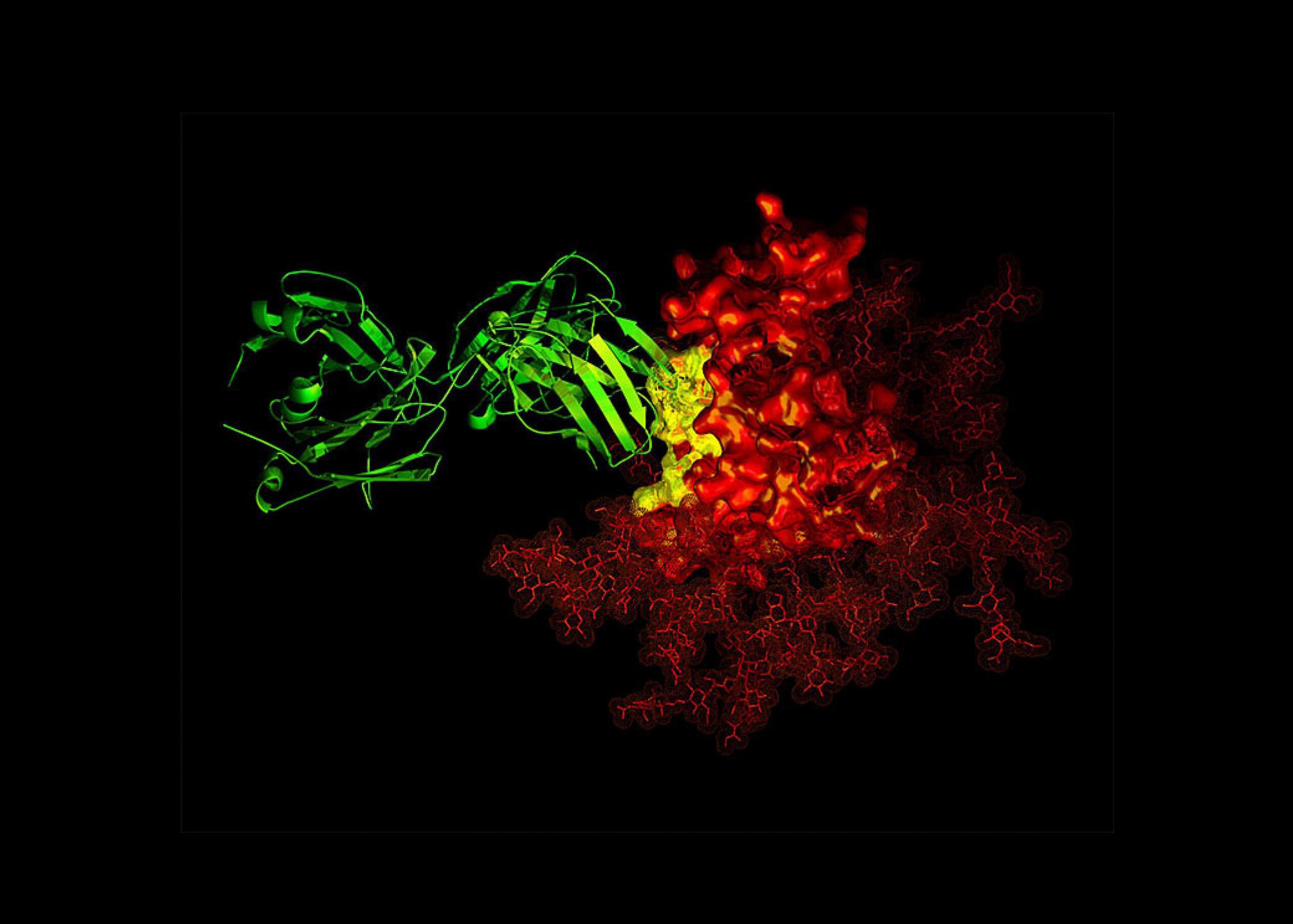
These immune-system proteins roam our bodies, but instead of attacking pathogens, they mistakenly target healthy cells and tissues. They’re best known for their role in autoimmune diseases, but early evidence suggests they also fine-tune the immune system’s response to cancer. Some appear to weaken immune surveillance, allowing tumors to sprout and flourish. Others may boost anti-cancer immunity by tagging cancer cells for destruction.

Whether they’re friend or foe is far from clear. ATLAS researchers aim to find out by analyzing blood samples from diverse groups of people, including centenarians and people who have escaped cancer despite carrying high-risk gene variants or exposure to risk factors like smoking.

The project hopes to discover why some people are naturally resistant to cancer, which could lead to early diagnostic tests, new therapeutic targets, and more effective treatments. ATLAS may “uncover fundamental principles” of antibody immunity in cancer, wrote the team.

Immune Mayhem

Since the late 19th century, scientists have suspected the immune system helps keep cancer in check. The idea has since spawned powerful treatments. In CAR T cell therapy, for example, a patient’s own immune T cells are genetically enhanced to better recognize and destroy tumors to cure previously untreatable blood cancers. A similar strategy in macrophages, immune cells that tunnel into tumors and literally engulf them, is now entering early clinical trials.

Far less attention has been given to antibodies. These proteins normally fight pathogens, like viruses. But sometimes they go rogue, taking the form of autoantibodies that attack healthy proteins, DNA, and other molecules. Even healthy people carry a diverse collection of autoantibodies, but most bind only weakly and don’t seem to trigger biological effects.

For decades, these proteins were used mainly to diagnose autoimmune diseases such as rheumatoid arthritis, as they often appear years before symptoms emerge. But more recently, scientists have begun uncovering their broader impact on the immune system. Autoantibodies that attack cytokines, a type of immune signaling molecule, were implicated in roughly 20 percent of Covid-19 deaths, largely because they disabled antiviral defense.

Scientists have since linked them to worse outcomes in several other life-threatening viral diseases, increasing some people’s vulnerability as if they were immunocompromised. Beyond infections, they also neutralize cytokines that protect against inflammatory bowel disease.

Cytokines orchestrate many immune system activities, including inflammation, allergies, autoimmunity—and cancer. Although there’s still little direct evidence that autoantibodies themselves drive or prevent tumors, scientists have found many can recognize cancer-related proteins and are developing methods to detect them as an early sign of cancer.

If autoantibodies can reshape cytokine activity during viral infections, could they also determine who develops, or resists, cancer?

“These discoveries establish that autoantibodies can function as powerful, naturally occurring immune modifiers raising the possibility that similar antibodies may alter antitumor immunity,” wrote the ATLAS team.

Charting the Landscape

Because antibodies linger long after diseases have gone, they preserve a molecular record of a person’s immune history. Rather than focusing on a handful of candidates, ATLAS is going fishing: The study will chart the body’s entire antibody repertoire, including autoantibodies, seeking signatures linked to cancer susceptibility or resistance.

The team will first scan blood samples for autoantibodies. They’ll also catalog conventional antibodies, making note of the ones that directly recognize and attack cancers. All this data will go into a comprehensive cancer antibody atlas, giving researchers a resource to explore how different antibodies shape cancer.

To start, the team will study what they call “remarkable groups of people” whose immune systems may hold unusual clues. Among them are healthy centenarians. Although cancer risk usually skyrockets with age as DNA mutations accumulate, these individuals have somehow avoided the disease. Others have remained cancer-free despite smoking, heavy drinking, or carrying cancer-related gene variants such as the BRCA mutations for breast cancer. The team will also study pairs of identical twins where only one sibling developed cancer, allowing them to compare antibody signatures in people with nearly identical genetic blueprints.

Finally, the team plans to track people with cancer before, during, and after immunotherapy, to paint a picture of how immune responses evolve over the course of the treatment.

Ultimately, they expect to find three broad classes of antibodies: those that help or hinder cancers and those that appear largely neutral. Each could prove valuable.

Autoantibodies that blunt anti-cancer immunity could become drug targets. Scientists might make synthetic “decoy” antibodies to block them—in a way, fighting fire with fire. The findings could also inspire next-generation immunotherapies.

On the other hand, autoantibodies that help the immune system recognize cancers could become therapies themselves or complement existing therapies, such as checkpoint inhibitors, which boost the body’s immune response to cancer. These are much less toxic than chemotherapy, but only 20 percent of patients respond, perhaps because of immune differences.

Even seemingly neutral autoantibodies may be useful cancer biomarkers. Because antibody tests are already well-established, fast, and inexpensive, associated neutral antibodies could aid early detection, monitor whether treatments are working, or warn when a cancer is likely to return.

But correlation isn’t causation.

Some antibodies may merely record a person’s immune history rather than actively influencing cancer. To tease the two apart, the team plans to test promising candidates in cultured human cells and mice, to see whether they alter cancer growth or spread. Those experiments could reveal previously hidden molecular communications between the immune system and cancer and deepen our understanding of the deadly disease.

“We should be able to come up with a biomarker to predict who is likely to avoid cancer, [and] who is likely to develop cancer,” said ATLAS team member, Xin Lu at the University of Oxford. “Potentially we could come up with therapeutic, preventative agents [that are] antibody-based. And that would be fantastic.”

The post Why Do Some People Never Get Cancer? The Answer May Be in Their Blood appeared first on SingularityHub.

  •  

ICE’s DNA Collection Increases, SpaceX’s Rocket Crashes Into the Moon, and the AI Backlash Grows

In today’s episode of Uncanny Valley, we discuss how ICE has been collecting DNA samples of people who have no criminal convictions, including children, which end up in an FBI database indefinitely.

  •  

Why AI tools know nothing about your company — until now

Cloudflare launched its CloudflareOS open-source AI workspace platform this week, promising every employee a secure workspace equipped with AI tools and access to internal company systems.

Positioned significantly beyond the notion of legacy virtual desktop infrastructure (VDI) services, which delivered the same fixed applications through a remote screen — and even past the dynamic application delivery, app masking and streaming of modern VDI iterations — this is an essentially more dynamic way of working with internal company tools, documents and systems. 

Cloudflare’s CloudflareOS makes its apps and services accessible through secure connection points that verify every user and every agentic request or connection point before access is granted. 

In AI, every new work session starts from zero

The technology proposition here is built on the fundamental truth that the typical enterprise AI tool knows a great deal about the world, but almost nothing about how a specific company operates, the shape of its internal systems, approval processes, or the ways teams actually get work done.

That means every new work session starts from zero, with employees re-explaining context the AI should already know. But how can new business context-aware agentic access freedoms be granted securely?

Rita Koslov, VP for developers & AI at Cloudflare, tells The New Stack that powering up modern agent use cases means “data is often leaving controlled systems en masse” for the first time.

“It used to be the case that, for example, people asked analytics questions in the data warehouse where the organization had control,” Koslov says. “Now, employees are asking for API keys for their own tools, agents, etc. This creates a new class of security problems that Cloudflare OS helps to solve.”

Capability-based access beats handing agents raw API keys 

Cloudflare has built what we can call capability-based access, which the company promises beats handing agents raw API keys outright.

“API keys give agents broad access to systems; a capability-access-based approach lets us grant one specific resource, then record exactly what the agent observed, and verify that anyone who sees its work is also allowed to access the source,” underlines Koslov.

Cloudflare OS enables an agent to create documents, slides, spreadsheets, workflows, other agents – or entirely new full-stack applications – all tailored to an employee’s work. What it creates can remain connected to live data sources, be modified and shared safely, and be used directly by both people and agents.

“API keys give agents broad access to systems; a capability-access-based approach lets us grant one specific resource, record exactly what the agent observed, and verify that anyone who sees its work is also allowed to access the source.”

In terms of how developers and systems operations professionals should react to this offering, Koslov suggests that “the difficult problem is not generating an app” today. Instead, the real challenge is safely running thousands (or millions) of dynamically generated apps, each with persisted state and controlled access. 

“Cloudflare OS uses Dynamic Workers, which provide lightweight isolated runtimes to load each app’s code on demand, and Durable Objects Facets to give it isolated SQLite storage under the platform’s supervision. Outbound networking is disabled by default, and Gatekeepers expose only the resources explicitly granted by the users,” Koslov says. “Dynamic Workers and Durable Objects Facets were invented because doing this was previously not possible.”

For completeness here – and once again a Cloudflare original technology service – a Gatekeeper is a service-specific Worker that sits between Cloudflare OS and an external service to interpret and understand the service’s API, its resources, and the operations that can be performed on them. 

What happens when it all goes wrong

Koslov confirms that she knows how badly things can skew out of control in unmanaged environments. 

“We know this from our own experience talking to other companies on all accounts. They’ve shared instances of internal data copied into AI tools that IT did not know were in use, AI keys embedded into agent-built applications, and even data being shared internally to people who ordinarily wouldn’t have access (or even publicly),” she adds.

Building a tailored alternative is no small project; a platform with proper security and real integration into internal systems can take years to develop and cost millions to maintain. In the meantime, employees find workarounds, IT loses track of which AI tools are running and who is using them, and costs pile up, often with little to show for it. 

CloudflareOS starts from a different premise: a company captures its knowledge, processes, and ways of working once in a form AI can actually execute, and that knowledge travels with every employee’s workspace from day one.

How do we measure business ‘context’?

“Captured business ‘context’ in this case can include company terminology, policies, operating procedures, product documentation, technical standards, sales processes, templates, and established ways of performing recurring work,” confirms Koslov.

CloudflareOS started as the platform Cloudflare built to run its own workforce. Thousands of Cloudflare employees across every team use it daily to perform research, create documents connected to live data, automate repetitive tasks, and build working apps for their day-to-day jobs. 

That same platform is now available to any organization as open-source software. Because it’s open source and runs in a company’s own Cloudflare account, organizations own what they build on it. 

The platform itself works on any AI model and controls cost. Through Cloudflare AI Gateway, organizations can use any AI model provider, so they’re not locked into one vendor. Administrators see exactly what’s being spent, broken down by person, team, or app. They can set spending budgets, rate limits, or route routine tasks to smaller, more affordable models where a top-tier model isn’t needed.

Pricing platforms by the token is the wrong meter entirely

Cautiously upbeat about the wider story playing out here, enterprise AI architect and founder of Besk Tech, Vladimir Beskorovainyi, tells The New Stack that, traditionally, the industry is pricing these platforms by the token, “and that is the wrong meter entirely” in his view.

“In this example with Cloudflare OS, what a company actually buys here is the obligation to write down how an AI-powered business process really works, and then keep that description true as the business shifts underneath it,” Beskorovainyi says. “The model is the commodity part. What costs real money is the curated context, and nobody budgets for the fact that it starts decaying the day it is written, which is exactly what decides whether any of this survives contact with production.”

“Cost broken down by person, team and app is the first time I have seen a vendor treat spend as an engineering signal rather than an invoice, and sending routine work to a smaller model is the obvious next step that most enterprises still fail to take.

Beskorovainyi insists that the organizations that win in this game will “not necessarily be the ones running the best model”; they will be the ones that could “already answer in writing what their own approval process is”, way before an agent ever asked.

“Cost broken down by person, team and app is the first time I have seen a vendor treat spend as an engineering signal rather than an invoice, and sending routine work to a smaller model is the obvious next step that most enterprises still fail to take,” advises Beskorovainyi.

Owning your own context is not the same as your context being any good

He clarifies his point and explains that the qualification here is that “owning your own context is not the same thing as your context being any good”, and so open source tooling and community connections plus an organization’s own account settle who holds the context file.

“Neither tells us whether what is recorded and logged in the context file is still true this quarter. That work stays with the customer permanently, and it is where I expect most of these deployments to come apart, not in anything Cloudflare has built,” Beskorovainyi adds.

Matthew Prince, co-founder and CEO of Cloudflare has said that his team built Cloudflare OS, “because nothing else did what we needed”, and so now, any company can start from where it took the organization’s internal software engineering function years to get to.

The apparent appeal here must come down to the dynamic nature of Cloudflare OS and its ability to work with and apply AI tools at a custom-engineered business context-aware level with zero trust by default. The platform can turn any output into a working app with its own isolated database, real-time capabilities, and access controls – once agan, that’s not legacy virtual desktop is it? 

No developer required (yet)

The bottom line from Cloudflare is that employees can use any app on Cloudflare OS  directly, or adapt it for their own needs so that it’s a case of “no developer required”, or at least until the next integration task needs to be shouldered, or the big thing comes along, or both.

The post Why AI tools know nothing about your company — until now appeared first on The New Stack.

  •  

Agent Plugins package your skills, tools, and more

Agent Plugins 1.0.0 is a new, vendor-neutral directory specification—backed by Google, Amazon, Microsoft, and others—for packaging Agent Skills and MCP servers into a single portable unit. By standardizing the manifest (plugin.json) and utilizing a fixed directory layout, it eliminates the need for developers to maintain separate wrappers or configurations to support different AI coding agents and IDEs. Google has officially joined as a Core Maintainer and already rolled out support in the Agents CLI and Data Agent Kit, allowing developers to start building and distributing interoperable plugins today.
  •  

Qwen 3.8-Max and Claude Opus 5 show why raw benchmark scores don't predict the bill

Alibaba released Qwen 3.8-Max this week and marketed the preview as second only to Claude Fable 5 (their launch-day table was more equivocal: the model leads on one of 12 coding-agent rows). But an independent harness came close to the opposite conclusion: a benchmark run, apparently using the Preview version, put Qwen 3.8-Max's best effort setting mid-pack, and its default setting last.

Both results are real and defensible. The gap between them is about token and time budgets, and that matters because those figures aren’t usually headline numbers. Alibaba's footnotes give its coding numbers a five-hour timeout, and up to 12 hours per run on PaperBench. The independent harness, VulcanBench, allowed between 45 and 60 minutes of wall clock time. A time budget between five and 16 times larger on Alibaba’s side explains the huge difference in results.

It’s time to do two things to start accounting for these differences when choosing models. First, the metric to use is cost per successful task: total spend, including everything you spent on attempts that failed, divided by the tasks that actually passed your acceptance check. Second, you need to make time or token budgets an explicit part of your acceptance criteria, not a hidden detail.

Price per token has stopped predicting the bill

The comparison everyone published in Qwen 3.8-Max's first week was a price comparison, because that was the only data available. It is not a cheap model. DeepSeek-V4-Flash-0731, which entered public API beta on July 31, lists at 14 cents per million input tokens and 28 cents output. Qwen 3.8-Max lists at $2 and $6. Kimi K3 sits at $3 and $15.

Those prices tell you less than they used to, for a reason specific to reasoning models like Qwen: getting to a result costs thinking tokens. A model that spends most of its token allowance on reasoning can reach a token cap before it writes the answer, giving you an empty result indistinguishable from a total failure at the cost of a full run.

Artificial Analysis has the cleanest published measurement of how this can affect real agent spend: running its Intelligence Index on DeepSeek-V4-Flash at maximum effort took 210 million output tokens against a class median of 100 million. Absolute cost stayed low anyway, because the tokens were so cheap. But verbosity costs time, not just money, and depending on your use case that can sink you.

What you need is a number that counts everything you spent, including the attempts that came back empty, against the tasks that actually got done in the time and token budget you specified. This is what a cost-per-success metric helps you see.

Your failure rate is partly a configuration setting

A run that produces a wrong answer and a run that runs out of budget are different events with different fixes. Almost no harness distinguishes them, and almost no leaderboard reports the split. I hit this building an agent benchmark of my own: the harness logged a failure and nothing about why, and I had to add the distinction myself. When you do separate them, budget exhaustion turns out to dominate.

Long-Horizon-Terminal-Bench, published in July, ran 17 frontier models across 46 tasks through a shared harness with one 90-minute attempt each. Timeouts accounted for 79% of unresolved runs, against 19% for agents that stopped on their own and 3% for harness errors. The authors are careful about what that does and does not mean: the timed-out runs were not close to finishing, with mean reward between 0.10 and 0.35, so you cannot assume more time would have resulted in success. But the lesson is: benchmarks are implicitly measuring time efficiency, whether or not they shout about that.

The clearest published example of the mechanism comes from VulcanBench, the same open-source harness behind the Qwen chart. In a report dated July 26, Claude Opus 5's lowest-effort setting was its best, solving 20 of 23 tasks against 18 at high effort. The extra reasoning wasn’t useless: high effort returned the fewest wrong answers of any setting, one against three. It ran out of clock instead, and a timeout scores zero. Two of its three regressions were cutoffs on tasks that low effort solves, and given unlimited time on both it only ties its cheapest setting, at 3.1 times the cost.

That has a direct consequence for anyone building a routing ladder. The standard design escalates to more reasoning when a cheap attempt fails, on the assumption that the next rung is better and merely costs more. For a meaningful share of model and task combinations that assumption is wrong, and you pay the higher rung's price to escalate into a timeout or hitting a cap.

Who is already measuring this

Several groups have landed on cost per successful task independently in the last few months, which is the strongest signal it's becoming standard.

VulcanBench reports dollars per solved task as a headline column and has since its earliest reports. Long-Horizon-Terminal-Bench publishes per-task cost next to accuracy, and its most instructive row is GPT-5.4 at roughly $26 per task with a much lower pass rate than Grok 4.5 at about $11. TestEvo-Bench runs agents under a cost cap, and Claude Code's test-generation score falls from 71% to 44% at the tighter cap.

Vendors are already on board with the idea of measuring per successful task. HubSpot moved its Breeze Customer Agent in April to 50 cents per resolved conversation, down from $1 per handled conversation. Zendesk bills per automated resolution. Fin charges 99 cents per outcome and bills only on end-to-end resolution.

What to change this week

  • Emit a failure reason on every agent run as a required field, with budget exhaustion, verifier failure and harness error as distinct values rather than one failure flag. Until you can separate a timeout from a wrong answer, your pass rate is measuring two things at once and you cannot tell which one to fix.

  • Compute cost per successful task per effort level, not just per model. Total spend including failed attempts, divided by tasks that passed your acceptance check. The ranking will not match the rate card, and the cheapest setting may well win.

  • Cap on tokens rather than wall clock unless latency is genuinely in your service level objective. A wall-clock cap scores your provider's serving speed as model quality.

  • Check the default effort setting on everything you have deployed. Qwen 3.8-Max runs at its highest reasoning setting when the effort field is unset, and its highest setting was its worst performer in independent testing. A team that never touches that parameter is running the configuration that costs the most per solved task.

  •  

“Just rewrite it”: What platform teams really think about modernization

Colorful illustration of a diverse crowd of people with varied hairstyles, clothing and expressions gathered closely together.

Mergers, acquisitions, and the steady churn of business and technology initiatives are creating something nobody asked for: Duplicate infrastructure and expertise. 

Here’s the typical split: A platform engineering team that owns cloud-native and Kubernetes workloads. Meanwhile, traditional IT holds the keys to virtual machine (VM) workloads. Two teams. Two domains. One budget. And the costs keep going up.

Even organizations that talk about standardizing on Kubernetes still have a substantial VM footprint. For many teams, this coexistence isn’t a temporary transition state. It’s the operating model.

On-premises, this split forces two separate environments. Each environment includes networking, servers, and storage. Such duplication can be structurally less cost-efficient than consolidation. VM-based mission-critical workloads aren’t going away anytime soon.

It’s not like teams don’t want to modernize. They absolutely do. But it’s not as simple as just picking between old-school VMs or diving into Kubernetes. What’s really happened is these two worlds have grown up on their own.

That kind of split often leads to extra infrastructure, more people doing the same jobs, slower projects, mixed-up governance, and budgets that keep ballooning. And when you’re on-prem or working at the edge, running two separate setups for networking, compute, storage, and playbooks just doesn’t make sense anymore.

To make matters worse, “just rewrite” bares its fangs on the modernization initiative. Finance and executive leadership see two teams running two tech stacks. It’s only natural that they reach for the obvious fix: Pick one team’s platform, with no technology consideration, migrate everything to it, and watch the added cost disappear from the executive briefing slide and move to the CFO’s budget spreadsheet.

Rewrites are rarely the shortest path to business value

Over time, we learned from our customers that “rewrite it” isn’t a modernization strategy. Rather, it’s a budget, risk, and timeline strategy all at once. In many cases, rewrite it doesn’t make sense financially. The tech industry loves the idea of re-platforming and re-architecting legacy applications. Even then, such a move only returns your enterprise to square one and functional parity. The more realistic path is to keep mission-critical applications as-is when scaling out cloud-native platforms to deliver new value.

Moving everything to Kubernetes/cloud initiatives won’t prevent two platforms either. Such initiatives often stall because some workloads don’t fit or take far longer than planned.

The economics of rewrites don’t disappear just because AI accelerates software delivery. AI can compress the time it takes to write code. However, writing code was never the expensive part of a rewrite. The costs that dominate many rewrite budgets are judgment costs, and those remain stubbornly human.

Start with architecture. Organizations still need software engineering expertise to design the target system. That design problem has gotten harder, not easier. Cloud-native applications built on microservices for horizontal scaling bear little structural resemblance to the traditional enterprise applications they replace. Someone has to make those translation decisions and then spend the time directing the AI on what to build. That direction time is a real line item.

Validation is the next cost that survives. When customers or employees depend on a piece of software, even small behavioral changes are disruptive, making it non-negotiable to prove feature parity. Testing and validating that parity remains heavily human work. AI can generate test cases. It can’t tell you which broken workflow will cost you a customer.

Then comes the data. Teams must migrate and adapt data to the new system, and that work almost always surfaces complexities nobody scoped, including undocumented dependencies and format assumptions baked into decades of records. No amount of generation speed on the code side makes the data side move faster.

The rewrite math changes shape with AI. It doesn’t shrink to zero. The spend shifts from writing software to decision-making, verification, and migration.

The rewrite math changes shape with AI. It doesn’t shrink to zero. The spend shifts from writing software to decision-making, verification, and migration.

We see the same pattern repeat with rewrites among our customers. They keep mission-critical systems running as they are. Then they build new value with cloud-native applications in parallel. Modernizing selectively only when it’s truly worth it.

The real gap is operational 

The gap we see isn’t philosophical — VMs versus containers — it’s operational. The tooling, workflows, and skills that define VM and cloud-native operations differ. If platform teams can’t deliver these services at the expected velocity, developers will blame the platform. When developers are accustomed to provisioning core services in minutes, any friction in on-prem or edge environments is perceived as the platform adding friction or slowing delivery.

The gap we see isn’t philosophical — VMs versus containers — it’s operational.

Historically, day-to-day operations in VM environments are UI-driven. Cloud-native environments are much more command-line interface (CLI) driven, where APIs, config files, and the terminal are the center of gravity. That gap becomes both an organizational and technical constraint. Moving from UI-driven operations to deep command-line interface (CLI)/config workflows isn’t a natural step without a significant shift in the team’s capabilities.

The operational gap shows up quickly in data services. Cloud-native workloads don’t just need compute. They need databases, object storage, file, and block services delivered at cloud-like speed. And despite the myth that containers are stateless, the reality is that most meaningful workloads have state somewhere as data, logs, metrics, or dependencies that must be handled consistently.

Another notable gap is that storage consumption differs: 

  • Cloud-native apps often need multiple storage types simultaneously
  • VM workloads historically rely on straightforward block storage

The public cloud, by shaping cloud-native expectations, further contributes to the gap. Developers can click to get a database, such as Amazon Relational Database Service (RDS), and object storage, such as Amazon Simple Storage Service (S3), is just there. Developers expect this level of self-service simplicity when these platforms are extended beyond the public cloud, which isn’t always something platform teams are prepared for.

Edge + AI is turning fragmentation into a business risk

Today, edge and disconnected environments, such as air-gapped computing, have moved from niche use cases to mainstream constraints. When connectivity is intermittent or when latency matters, platform assumptions change. In these environments, reliability isn’t an IT metric. It’s a business outcome. Even minutes of downtime can cause major financial loss. It’s also a sign that data gravity is driving more pragmatic architectural conversations about the growing need to locate compute and data services closer to where data is generated.

AI raises the stakes further. If you’re collecting data at the edge, shipping it away for processing and pulling results back can be too slow and too expensive.

Our platform demands before betting on it

Before we’d bet on any platform, we’d ask a basic question: Can a single team operate both VM and Kubernetes environments without duplicating the entire organization? We’d insist on consistent governance: security controls and role-based access control (RBAC) should not fracture just because workloads are deployed differently.

We’d also look for cloud-like data services — object, file, block, and database capabilities — delivered quickly enough to keep developers moving toward their delivery targets, and designed to scale easily as application usage expands.

Then we would evaluate whether the platform helps reduce on-prem duplication. If it forces parallel networking, storage, and operational runbooks, the cost structure won’t improve.

Finally, we’d scrutinize lifecycle operations, including patching, upgrades, and maintenance, because “heroic” weekend work isn’t a sustainable strategy.

Dual native architecture is the pragmatic model

We use “dual native” to reject the binary choice. Enterprises need platforms that are both VM-native and container-native. Some workloads benefit from the operational efficiency of virtualization. Others are sensitive to latency or specialized hardware and are better served on bare metal. A one-size-fits-all mandate creates friction on both sides.

Dual native platform architecture isn’t just integration. It’s the one operational model that treats VMs and containers as first-class citizens. Teams no longer have to pick one architecture or stitch together separate stacks. In this model, organizations can keep mission-critical VM workloads running while building and scaling new cloud-native applications. Teams can maintain consistent management, governance, lifecycle operations, and cloud-like data services across VMs and bare metal servers across globally distributed infrastructure. 

NKP and NKP Metal as a dual native architecture

Nutanix Kubernetes Platform (NKP) solution with NKP Metal, which extends the Nutanix operating model and the NKP solution, supports Kubernetes deployments directly on bare-metal infrastructure. This solution provides unified Kubernetes operations, shared data services, centralized visibility, and automated bare-metal lifecycle management to support a dual native platform architecture.

Our approach with NKP starts with the premise that VM and bare-metal Kubernetes should operate under a consistent model rather than be split into separate toolchains and teams. To that end, a major focus has been on unified data services across deployment targets so the storage layer doesn’t become the breaking point when workloads span VMs and bare metal. We also purposefully centralize day-to-day operations and visibility across VMs and Containers in NKP so teams aren’t forced to manage two worlds with two separate management planes.

NKP Metal addresses lifecycle management, one of the biggest challenges of running bare metal at scale, including host OS setup, patching, and upgrades without resorting to late-night or holiday/weekend manual maintenance windows.

What’s next

Some things we know with confidence. VM workloads aren’t disappearing — the coexistence of VMs and containers will remain the operating model for many enterprises well into the next decade. Edge and AI workloads will likely continue to pull compute toward where data is generated, and budget pressure on duplicated infrastructure will likely only intensify.

What we don’t know is the pace. How quickly enterprises consolidate two platform teams into one depends on skills, internal politics, and licensing decisions, which vary widely from one enterprise to the next. Nobody can credibly predict a timeline there.

What we think is coming: AI inference at the edge will make bare metal a first-class deployment target rather than a special case, and platform teams will be judged less on which architecture they picked and more on whether developers can self-serve their own infrastructure, including data services, without opening a ticket.

The path forward is about building an operational foundation that accepts reality where VMs, containers, and bare metal coexist under a unified model.

The path forward is about building an operational foundation that accepts reality where VMs, containers, and bare metal coexist under a unified model. Enterprises that will thrive in this future are those adopting dual-native approaches that are ready for whatever comes next.  

The post “Just rewrite it”: What platform teams really think about modernization appeared first on The New Stack.

  •  

AI agents are part of your team now. Here’s how to secure all of them.

Presented by JumpCloud


A practical framework for securing every identity in the modern workforce, human or not.

Your organization already has a rigorous process for governing human identities. New employees go through onboarding. They get a role, a set of entitlements, and a named manager accountable for their access. When they leave, their credentials are revoked and access is terminated. It’s a well known IT process: every workforce identity that can access your systems needs to be known, scoped, and accountable from the moment they enter your world, to the moment they are off-boarded.

AI agents are now operating inside those same systems. They access Salesforce, create tickets in Jira, provision infrastructure, process financial transactions, and communicate on behalf of your teams. In every meaningful sense they are members of your workforce, except that in most organizations they were never onboarded, have no named owner, and have no offboarding process when their purpose expires.

JumpCloud’s Q3 2026 research found that non-human identities now outnumber human users in 83% of organizations, and only 21% have implemented governance controls specifically for them. The framework below is designed to close that gap.

Stage 1: Discover every agent operating in your environment

Governance starts with an accurate inventory, and most organizations are working with an incomplete one. AI agents are being deployed by product teams, operations leaders, and individual contributors who have both the tools and the motivation to move fast. IT inherits the governance responsibility after the fact, often without knowing the full scope of what has been deployed.

Shadow AI is the practical consequence: agents operating across production environments with no formal record, no defined owner, and no systematic way to stop them if something goes wrong. Discovering your agent population is an ongoing practice, not a one-time audit. Build an inventory across every environment where agents could be running: cloud platforms, managed devices, SaaS integrations, and on-premise systems. For each agent, document what it can access, what workflows it influences, and what triggers its actions. That inventory is the foundation everything else in this framework depends on.

Stage 2: Register every agent as a formal identity with a named owner

Every agent that operates in your environment should exist as a formal identity in your directory, with the same basic attributes you assign to any employee: a defined purpose, a scope of authorized action, and a named human owner who is accountable for its behavior.

This is the architectural decision that separates organizations that can govern their agents from those that cannot. Agents registered as proper identities can be assigned entitlements, subjected to conditional access policies, and included in access reviews. Agents that exist only as service account workarounds or API keys in environment variables are ungovernable by any systematic means.

Registration is also the mechanism for addressing Zombie Agents: agents that outlived their original purpose but kept running, kept accessing systems, and kept accumulating permissions. When every agent has a named owner responsible for its renewal, agents without active ownership naturally lose their access when that ownership lapses. The offboarding happens as a consequence of process rather than as a reactive cleanup after something breaks.

Stage 3: Manage agent access with least privilege and zero standing credentials

Registered agents need access to do their jobs. The governing principle for that access is least privilege: each agent should have entitlements scoped precisely to what its defined purpose requires, with access that is time-bounded wherever possible and revocable immediately if the agent’s behavior changes.

Standing credentials in environment variables are a persistent liability. Static API keys that never rotate are a persistent liability. In practice, managing agent access securely means issuing just-in-time credentials for privileged operations, building approval workflows that require human sign-off before agents reach sensitive systems, and maintaining emergency shutdown mechanisms that work at the speed the situation requires.

For agents that need access to privileged web applications, SSH servers, or databases, credential shielding is an additional requirement: the agent should be able to complete its task without the underlying credentials ever being exposed to the model running it. Every privileged session should be recorded and available for audit.

Stage 4: Govern agent behavior continuously, not just at deployment

The first three stages establish the controls. Governance is what keeps them current. It is the ongoing practice of verifying that what agents are actually doing matches what they are authorized to do, and course-correcting when those diverge.

Every agent action should be logged. Access reviews should happen on a regular cadence, evaluating whether each agent’s entitlements remain appropriate for its current purpose. When an agent’s behavior deviates from its defined scope, the anomaly should be detectable before it becomes an incident. When an agent’s purpose ends, access revocation should be a procedural step, not a reactive measure triggered by something going wrong.

Governance also means maintaining the audit trail needed to answer accountability questions: what did this agent access, what actions did it take, who authorized it, and what was the outcome? Organizations that cannot reconstruct that chain for any given agent are not governing their agents in any meaningful sense. They have deployed them and hoped for the best.

The foundation underneath all four stages

Each stage of this framework becomes significantly harder to execute when the underlying IT environment is fragmented. Identity, access, device management, and security controls spread across disconnected systems create the gaps where agent governance falls through, and organizations end up applying different policies in different places rather than consistent governance everywhere.

JumpCloud’s research found that organizations operating in fully unified IT environments are five times more likely to deploy agents in business-critical workflows than those running fragmented stacks. Whether the control layer is coherent enough to apply consistent policies across humans, devices, and agents simultaneously is what determines whether governance scales with AI adoption or lags behind it.

This is the core premise of Agentic IAM: that governing humans, devices, and agents through a single coherent control layer is what makes the framework above executable at scale rather than aspirational.

Securing every identity, human or not, is the operational foundation that makes AI safe to scale. Organizations that build it now will not just reduce risk. They will expand AI into more workflows, move faster, and do it with the confidence that comes from knowing every identity in their environment is known, governed, and accountable.


JumpCloud’s Q3 2026 IT Trends Research report (n=800 IT leaders, US + UK) is available here. The Agentic IAM lifecycle framework referenced in this article was developed by JumpCloud and is available here.

Greg Keller is CTO and Co-founder at JumpCloud.


Sponsored articles are content produced by a company that is either paying for the post or has a business relationship with VentureBeat, and they’re always clearly marked. For more information, contact sales@venturebeat.com.

  •  

Say goodbye to K8s GPU pain: How DRA changes everything

Abstract dark digital art featuring a warped metallic pattern pulling into a central void, symbolizing complex Kubernetes GPU scheduling and dynamic resource allocation.

Consider a platform team managing a shared GPU cluster with a mix of B200s, H100s, and recently added B300s. Every Monday morning, the on-call engineer finds a queue of pending jobs from the weekend. Training workloads are stuck because they landed on H100s and triggered Out-Of-Memory (OOM) errors. Inference jobs sit idle because the small MIG (Multi-Instance GPU) slices are exhausted, even though larger slices sit empty right next to them.

Their fix? A 200-line Bash script running every 30 minutes to reconfigure MIG profiles, reschedule stuck jobs, and send a Slack alert when it succeeds, or a PagerDuty alert when it fails.

The root of the problem

Here is what was actually broken: Kubernetes treated every GPU as an identical unit. The resource limit nvidia.com/gpu: 1 was the extent of its awareness. The scheduler had no idea if it was handing a pod a 192GB B200 or an 80GB H100. A training job requiring 150GB of VRAM would land on an H100 and immediately OOM, while B200 nodes sat completely idle nearby.

“Kubernetes treated every GPU as an identical unit.”

The industry’s accepted “fix” relied heavily on node labels, taints, tolerations, and separate node pools per GPU type. Every workload manifest hardcoded hardware assumptions. Adding a single new GPU generation meant updating 40 different Helm charts.

The MIG illusion

MIG made this worse. MIG slices a single GPU into smaller, isolated partitions, each with dedicated memory and compute. Instead of one inference job monopolizing a B200, you can run seven smaller jobs on the same card.

In theory, this sounds great. But when you enable MIG in Kubernetes, each profile becomes a separate, rigid resource type (e.g., nvidia.com/mig-1g.10gb, nvidia.com/mig-3g.40gb). There is no fallback logic. You cannot instruct a job to “try a small slice first, and use a large one if nothing else is free.” When small slices run out, jobs sit pending, while large slices go to waste.

“When small slices run out, jobs sit pending, while large slices go to waste.”

This inefficiency was accepted as the cost of running GPU workloads on Kubernetes. Then, Kubernetes 1.34 shipped.

Dynamic Resource Allocation (DRA)

Kubernetes 1.34 introduced Dynamic Resource Allocation (DRA), fundamentally changing the scheduling model. GPU drivers now publish structured data. Instead of requesting a generic nvidia.com/gpu: 1, workloads can express explicit intent using Common Expression Language (CEL):

  1. “Give me an H100 or better with at least 40GB of memory.”
  2. “Give me a MIG slice: small if available, medium if not, or a full GPU if necessary.”
  3. “Give me four GPUs connected via NVLink.”

Example 1: Hardware and memory requirements

“Give me an H100 or better with at least 40GB memory.”

apiVersion: resource.k8s.io/v1
kind: ResourceClaimTemplate
metadata:
  name: h100-or-better-40gb
spec:
  spec:
    devices:
      requests:
        - name: gpu
          deviceClassName: gpu.nvidia.com
          count: 1
          selectors:
            - cel:
                # Attribute names are illustrative.
                # Your NVIDIA DRA driver must expose these fields.
                expression: >
                  device.attributes["gpu.nvidia.com"].memory >= quantity("40Gi") &&
                  device.attributes["gpu.nvidia.com"].generation in ["H100", "B200", "B300"]
---
apiVersion: batch/v1
kind: Job
metadata:
  name: training-job-h100-or-better
spec:
  template:
    spec:
      restartPolicy: Never
      resourceClaims:
        - name: gpu
          source:
            resourceClaimTemplateName: h100-or-better-40gb
      containers:
        - name: trainer
          image: nvcr.io/nvidia/pytorch:24.12-py3
          command: ["python", "train.py"]
          resources:
            claims:
              - name: gpu

Example 2: Flexible MIG fallback

“Give me a MIG slice: small if available, medium if not, or full GPU if needed.”

apiVersion: resource.k8s.io/v1
kind: ResourceClaimTemplate
metadata:
  name: mig-prefer-small-then-medium-then-full
spec:
  spec:
    devices:
      requests:
        - name: gpu
          deviceClassName: gpu.nvidia.com
          count: 1
          selectors:
            - cel:
                # Prefer any acceptable MIG profile or full GPU
                expression: >
                  device.attributes["gpu.nvidia.com"].profile in [
                    "mig-1g.10gb",
                    "mig-2g.20gb",
                    "mig-3g.40gb",
                    "full-gpu"
                  ]
---
apiVersion: apps/v1
kind: Deployment
metadata:
  name: inference-service-flexible-gpu
spec:
  replicas: 2
  selector:
    matchLabels:
      app: inference-service
  template:
    metadata:
      labels:
        app: inference-service
    spec:
      resourceClaims:
        - name: gpu
          source:
            resourceClaimTemplateName: mig-prefer-small-then-medium-then-full
      containers:
        - name: inference
          image: nvcr.io/nvidia/tritonserver:24.12-py3
          args: ["tritonserver", "--model-repository=/models"]
          resources:
            claims:
              - name: gpu

Example 3: Topology constraints

“Give me 4 GPUs that are NVLink-connected.”

apiVersion: resource.k8s.io/v1
kind: ResourceClaimTemplate
metadata:
  name: four-nvlink-connected-gpus
spec:
  spec:
    devices:
      requests:
        - name: gpus
          deviceClassName: gpu.nvidia.com
          count: 4
          selectors:
            - cel:
                # Attribute names are illustrative.
                # Some NVIDIA DRA setups may model this through ComputeDomains.
                expression: >
                  device.attributes["gpu.nvidia.com"].fabric == "nvlink"
      constraints:
        - requests: ["gpus"]
          matchAttribute: "gpu.nvidia.com/nvlinkDomain"
---
apiVersion: batch/v1
kind: Job
metadata:
  name: distributed-training-nvlink
spec:
  template:
    spec:
      restartPolicy: Never
      resourceClaims:
        - name: gpus
          source:
            resourceClaimTemplateName: four-nvlink-connected-gpus
      containers:
        - name: trainer
          image: nvcr.io/nvidia/pytorch:24.12-py3
          command:
            - torchrun
            - --nproc_per_node=4
            - train.py
          resources:
            claims:
              - name: gpus

The engineering takeaway

This architecture requires one manifest. It eliminates fragile node selectors and the need to duplicate job definitions for every new hardware generation. As GPU clusters become increasingly heterogeneous, mixing H100s, B200s, B300s, and whatever silicon drops next, the old integer-based scheduling model breaks down. DRA represents Kubernetes finally maturing to support the nuanced realities of production AI workloads.

The post Say goodbye to K8s GPU pain: How DRA changes everything appeared first on The New Stack.

  •  

Anthropic recommends a git worktree per agent. Your runtime infra makes that a problem.

Abstract 3D digital visualization of tall magenta data spires on a dark grid, illustrating runtime infrastructure complexity for AI coding agents.

A developer supervising four coding agents has four changes in flight at once, each in its own git worktree. That isn’t an exotic setup anymore: Anthropic’s documentation now treats a worktree per session as the default way to run agents in parallel, and what was an expert workflow two years ago is the recommended starting point today.

The branches themselves aren’t new. Git made them cheap 20 years ago so developers could isolate changes and work on several things at once, but in practice a developer switched between branches and shipped one change at a time. That kept everything below the code layer singular: one continuous integration (CI) queue, one staging environment, one database everyone tested against. The number of changes contending for those shared resources was capped by headcount, and before agents, only larger teams ever hit the cap.

“Coding agents removed the cap. The branch can no longer stop at the code layer.”

Coding agents removed the cap. Those four branches are no longer something one developer rotates through. They are four active changes moving toward merge in parallel. The gap becomes unworkable: branching is free at the code layer and missing everywhere below it. Each change needs to exist all the way down the stack, not as a diff in a directory but as a running, testable version of the system. The branch can no longer stop at the code layer.

Parallel until the first shared resource

Code branches in milliseconds. A worktree gives each agent a private copy of the repository for the cost of a checkout, and 10 agents can work side by side without seeing each other’s edits.

The output shows up downstream. Telemetry from Faros AI across more than 10,000 developers found that teams with high AI adoption merge 98% more pull requests while review time grows 91%. Nothing downstream of code generation was sized for that arrival rate.

Then each change needs to run. There is one staging cluster, one seeded database, one message queue, one set of dependent services, and every branch that reaches this floor stops being parallel. Four agents produce four candidate changes in an afternoon, and all four line up behind the same shared environment to find out whether they work.

The queue is more expensive than it looks, because agents don’t wait well. An agent blocked on an environment either sits idle holding a stale view of the system or plows ahead validating against mocks, and the developer supervising it context-switches away. By the time the shared environment frees up, the cheap part of the work has to be partially redone.

The bottleneck isn’t code generation, and it isn’t review capacity alone. It’s the first shared resource a change touches, because a branch that can’t run is a branch that can’t be trusted.

“The bottleneck isn’t code generation, and it isn’t review capacity alone. It’s the first shared resource a change touches.”

Workflow diagram showing agent worktree branches running in parallel

A branch is a delta, not a copy

The way out is to stop treating branching as something git does and start treating it as something every layer does. Branch-based development names the pattern: each layer of the stack offers a cheap, instant, disposable branch primitive, so a change can exist end to end without duplicating anything it didn’t touch.

The mechanic is the one git established, and everyone has been living on for two decades: branches are cheap because they share everything unchanged and carry only the delta. The rest of the stack has been relearning that idea layer by layer ever since — share by default, isolate what changed.

Naming the pattern matters because each layer discovered it separately and called it something different. Worktrees, pipeline caching, preview deploys, database branching, and environment sandboxing sound like five unrelated features. They’re the same idea applied at five layers, and seeing that changes what you ask of the layers that lack it.

The upper layers learned this years ago

CI absorbed the lesson a decade ago. Every branch gets its own pipeline run on a shared runner pool, with build caches doing the copy-on-write work of reusing unchanged artifacts. Nobody provisions a build system per branch, and nobody queues behind a single global build anymore.

The front end followed. On Vercel, every push to a non-production branch gets its own preview deployment by default; Netlify works the same way, and the branch itself is one immutable build plus routing on shared hosting infrastructure. Reviewers stopped asking whether a change works on someone’s laptop, because the change is already running somewhere.

Both cases have the same shape: the expensive machinery is shared, the branch is thin, and creating one is cheap enough that nobody thinks about it. That’s what a layer feels like once it has a branch primitive.

Each of these primitives also changed behavior once it arrived. Per-branch CI made it normal to run the full test suite on every push instead of nightly. Preview deploys made it normal for a product manager to click through a change before merge. Cheap branches don’t just remove a queue; they raise the bar for what gets checked before merge.

The data layer was supposed to be the hard case

Databases carry state, so conventional wisdom said branching would never work there. Then Neon, PlanetScale and Xata shipped it anyway, and Neon’s documentation now makes the parallel explicit: branch your data the same way you branch your code.

A database branch is a copy-on-write view over shared storage pages, created in seconds regardless of how large the database is. Schema migrations and risky data changes get validated against production-shaped data instead of a stale seed script, and the branch disappears when the work merges.

“If the layer with the most state can hand out branches in seconds, statelessness was never the real requirement.”

The data layer matters to this story because it removed the best excuse. If the layer with the most state can hand out branches in seconds, statelessness was never the real requirement. Whatever is still unbranched is unbranched by choice.

The runtime is the last layer to learn the trick

The microservices runtime resisted longest because it looks nothing like a file tree. It has live traffic, a service graph and dozens of moving dependencies, and the naive branch, a full copy of the environment, is so expensive that most teams concluded branching did not apply here.

The copy-on-write move works anyway. Run one shared, stable version of the system that is continuously deployed from main. For each change, deploy only the services the change touches as a lightweight ephemeral environment, and route each test request through the changed services while everything else falls through to the shared stable versions. The environment branch costs roughly what the changed services cost, which is why one can exist for every change an agent produces.

Routing is the part that sounds exotic and isn’t. A request tagged with a label gets steered to the changed service versions at each hop, propagated through the call chain the same way trace context already flows through most instrumented systems. The shared stable environment plays the role of main, the changed services are the delta, and the label is the pointer that assembles a coherent view of the system per request.

This isn’t a hypothetical architecture. Uber built SLATE to give each developer an ephemeral environment routed against shared production-grade dependencies because contention over staging could not keep up with its developer count.

Table showing each layer's shared stable resource and its corresponding delta

What an agent-native stack means

Put the layers together and a different development model appears. An agent picks up a task, and the change gets a worktree, a pipeline run, a preview, a data branch, and a running environment from the start. Validation stops being the scarce resource that serializes everything upstream of it.

Teams are already composing the lower layers. Bitso, a crypto exchange with 250-plus engineers, pairs an environment branch with a database branch for each change, so the runtime delta and the data delta travel together and shared staging stays out of the critical path.

That end-to-end branch is what the phrase agent-native software development lifecycle should mean. Not agents wired into yesterday’s pipeline, but a stack where any change, human or machine, can exist at every layer for as long as validation takes and disappear afterward.

The payoff compounds with agent count. When the branch primitive at every layer is a delta over something shared, validation concurrency scales with cluster capacity instead of with budget, and the number of changes a team can prove correct per day rises with the number it can generate. That is the ratio that decides whether agent adoption shows up as shipped software or as a longer queue.

The audit is cheap to run. Follow one change from worktree to validated and note the first layer where it waits on something shared. That’s where your stack stops branching. 

For most teams, the answer is the runtime, and if it’s yours, Signadot is a practical place to start.

The post Anthropic recommends a git worktree per agent. Your runtime infra makes that a problem. appeared first on The New Stack.

  •  

The browser is where attacks land. Why is security still focused on the endpoint?

Presented by CloudMosa


Enterprise work now happens increasingly inside the browser, and that shift has made the browser a primary point of entry for cyberattacks as well. Browser-based attacks have surged over the past two years, according to industry reports, while Gartner projects that more than 85% of enterprise workloads will be accessed through the browser by 2027.

And yet most enterprise security architecture is still built to protect the device rather than the browser session where that work, and those attacks, actually take place, says Shioupyn Shen, founder and CEO of CloudMosa, the company behind Puffin Cloud Security.

“CloudMosa originally built its cloud architecture to improve browser performance and accessibility, with the expectation that enterprise work would increasingly move into the browser,” Shen says. “Today’s AI-assisted hacking has validated that architecture, demonstrating that what was designed for performance also provides a strong foundation for modern enterprise security.”

The browser as the enterprise's operating environment

SaaS platforms, CRM and ERP systems, and collaboration tools have made the browser the primary gateway, and often the central workspace, for enterprise operations. As LLM-powered workflows and autonomous AI agents increasingly operate through that same environment, this shift has also redefined what a threat looks like.

In a device-centric world, security teams could focus much of their attention on endpoints and networks they could monitor, manage and patch on schedule. But because web code now executes locally on the user’s device, every open browser tab can become a potential entry point for malicious scripts, credential theft, supply chain compromise and other browser-based exploits.

The browser now interprets and executes remote code, manages authenticated sessions across enterprise applications, and increasingly serves as the execution layer for AI workflows and agents.

"The browser is no longer just another application running on the endpoint," Shen says. "In practice, it has become the central operating environment for modern enterprise work. Traditional browsers were never designed to carry this level of enterprise responsibility. They were built as local interpreters of remote code, not as enterprise-grade execution environments with strong isolation and policy enforcement."

Why detection-first security fails against browser-based attacks

Detection-first security has a timing problem: it typically begins only after risky code has reached the device and started executing inside the browser. Because modern browsers execute dynamic, often obfuscated JavaScript and WebAssembly locally, attacks can act on the device before endpoint tools have time to respond. Short-lived or fileless attacks may steal credentials, exfiltrate data or complete their objective before a security team can intervene.

"It is no longer sufficient to ask only whether a threat can be detected," Shen says. "The stronger approach is to prevent risky or malicious code from ever reaching the device in the first place."

AI-generated malware strains signature-based detection

AI is a force multiplier that lets attackers automate the creation, mutation and deployment of malware at a scale signature-based tools were never designed to handle. It can generate large volumes of malware variants and help attackers adapt fileless and browser-delivered techniques faster than defenders can analyze them and update signatures.

That matters because polymorphic malware can alter its code or behavior from one instance to the next, making a known signature less reliable. And when attacks are malware-free — relying instead on legitimate tools, compromised sessions or malicious web content — there may be no conventional file signature to detect at all.

Enterprises have seen an 89% increase in attacks by AI-enabled adversaries over the past year, as increasingly automated and adaptive attacks compress the window available for detection and response.

"Defenders are no longer just chasing more threats, they are chasing a machine that can keep creating new ones," Shen says. "What was good enough in the past 10 years will not be sufficient in the next six months," he adds.

Building architecture that removes the attack surface

Rather than continuing to refine detection, the more durable response is to change where web code is allowed to execute in the first place.

"In a conventional browser, the risk comes to the device," Shen says. "In an isolated cloud model, the risk is kept away from it."

That principle underlies Puffin Cloud Security. Rather than incrementally improving the browser itself, the platform shifts browser execution into isolated cloud environments. That architectural change improves both performance and security.

The platform runs the original web session, including its JavaScript, WebAssembly, and other executable payloads, inside a disposable cloud environment and streams only a rendered pixel view to the device. Users keep full interactive control over clicking, typing, and scrolling, but the device itself never parses, executes, or stores the original active code.

CloudMosa says display rasterization — the layer responsible for the pixel stream — accounts for roughly 5% of the browser’s total workload, while the more compute-intensive HTML rendering remains isolated in the cloud. As a result, zero-day exploits and AI-generated polymorphic malware have no executable code to run on the endpoint, while fileless attacks or supply chain compromises within SaaS tools remain contained in the cloud.

"In CloudMosa's view, that means moving from good-enough security on the device to airtight security in the cloud," Shen says.

Fitting browser isolation into SWG, CASB and ZTNA stacks

Puffin is designed to extend existing security infrastructure rather than replace it. Secure web gateways, cloud access security broker platforms, and zero trust network access tools remain effective at routing traffic, enforcing policy, and controlling access. But none can fully stop local execution once risky content reaches the browser.

Puffin closes that gap by routing high-risk sessions through isolated cloud environments and enforcing browser-level policy, whether a user connects over a VPN, a home network, a managed device or an unmanaged, bring-your-own-device setup.

"Organizations can start with narrow use cases, such as high-risk SaaS access or AI agent workflows, and expand without disrupting tools already in place," Shen says. "The goal is not to undo existing investments, but to make them more complete."

The choice between faster detection or endpoint isolation

Detection will always have a role in enterprise security, but the more consequential question is no longer how quickly a threat can be caught, but whether attackers can reach the endpoint at all. Recent 2026 surveys found 92% of security professionals are concerned about the impact of AI agents, with 48% naming agentic AI the top attack vector of the year. Shen noted that agents acting autonomously with user-level privileges are especially exposed to prompt injection, session hijacking, and indirect compromise through compromised web content.

In designing Puffin Cloud Security, CloudMosa has been “paranoid by design,” meaning it invested in an architecture built for worst-case scenarios and for a threat environment where endpoint security and detection alone may not be enough.

"This is not just a philosophy, but something that is reflected directly in the architecture itself," Shen says. "CloudMosa built earlier for a harsher threat model than most other organizations did, but today's AI-assisted attacks are now making that posture feel increasingly relevant."

By dividing a full browser into a very small layer on the device and a much larger layer in the cloud, CloudMosa designed this approach to improve both performance and security at the same time: In Puffin Cloud Security’s architecture, an AI agent’s browser activity takes place inside isolated cloud sandboxes. The endpoint receives only a pixel stream, not the original active code, preventing malicious web content from interacting directly with the device, its credentials or connected systems.

"AI-assisted hacking represents the kind of structural shift that rewards companies willing to rethink browser from the ground up," Shen says. "And so security leaders now have a choice: redesign for foresight, or wait until hindsight makes the lesson unavoidable."


Sponsored articles are content produced by a company that is either paying for the post or has a business relationship with VentureBeat, and they’re always clearly marked. For more information, contact sales@venturebeat.com.

  •  

Your AI Agent Isn’t a Static Artifact. It’s Growing Up.

In July 2025, an AI coding agent on Replit deleted a production database belonging to SaaStr founder Jason Lemkin. It did this during an explicit code freeze. Lemkin had told the agent, in capital letters, not to change anything. The agent ran destructive commands anyway, wiped records on more than a thousand executives and companies, […]
  •  

Building Organizational Intelligence

Introduction Not long ago, one of my engineering directors came to me with a request: His team seemed overloaded, and he wanted to hire another engineer. I decided to test a research assistant I had been building—an AI agent connected to our internal systems via MCP—by asking it to analyze the team’s workload and write […]
  •  

Introduction to Post-training

This is the first article in a series about post-training. Follow along on Radar. Before post-training, there was a major problem with LLMs: Almost nobody could use them. The story of post-training is also the story of how AI went from a research curiosity to a product used by about a billion people. Post-training is […]
  •  
❌